
Planning an EV journey is easier when you know which car you are driving, which charging cards you use and how long you can stop. This is the common thread of this evolution: instead of starting from scratch with each search, you can save your preferences and find results more suited to your situation.
Start by adding your car
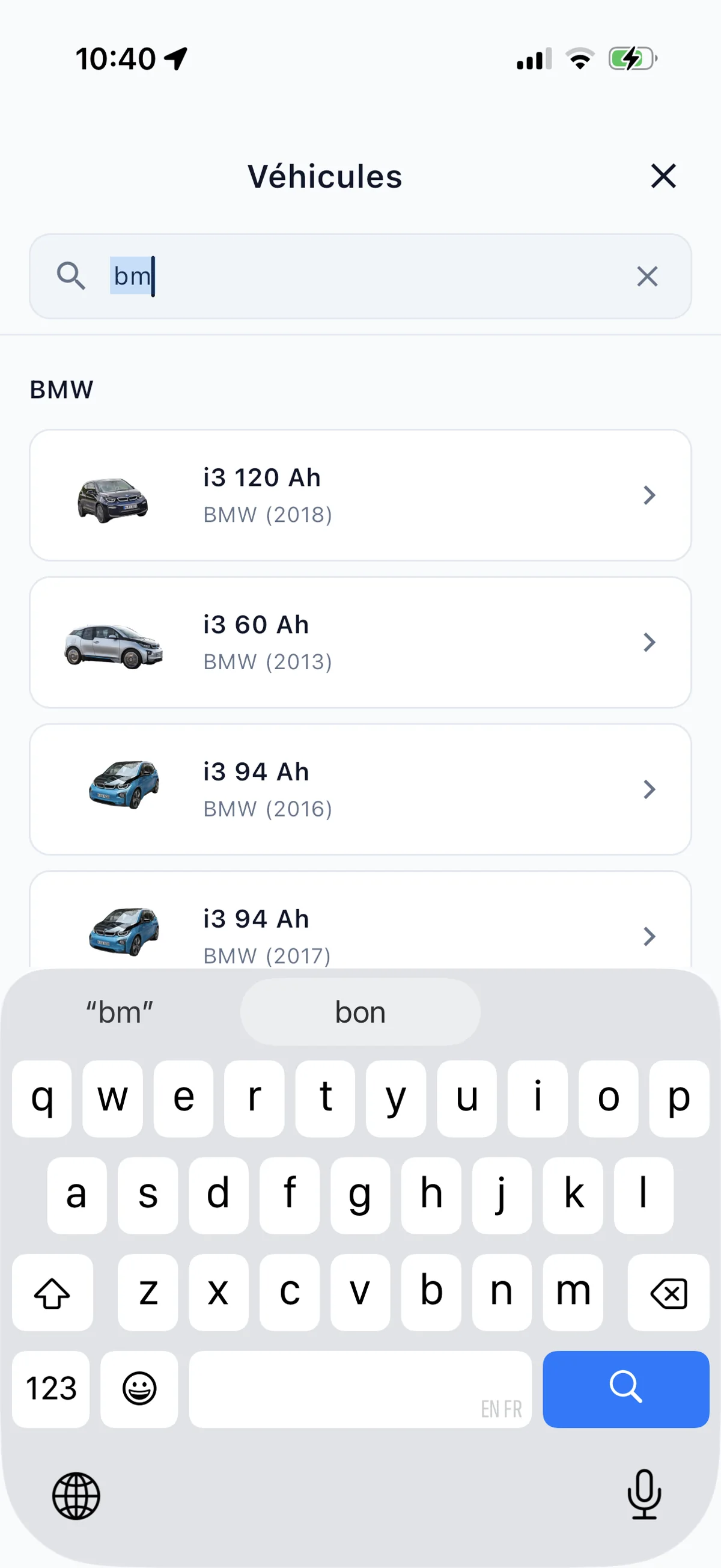
The choice of a charging station depends first of all on the vehicle: connector, charging capacity and range are not the same from one model to another. In Bornage, you can select your car so that the searches take into account its compatible connectors.
For a route, you can also enter the battery level at departure and the reserve you wish to keep upon arrival. These parameters give a more concrete context to planning charging stops: the application can estimate the energy to add and propose a plan consistent with your journey.
Add the cards you use
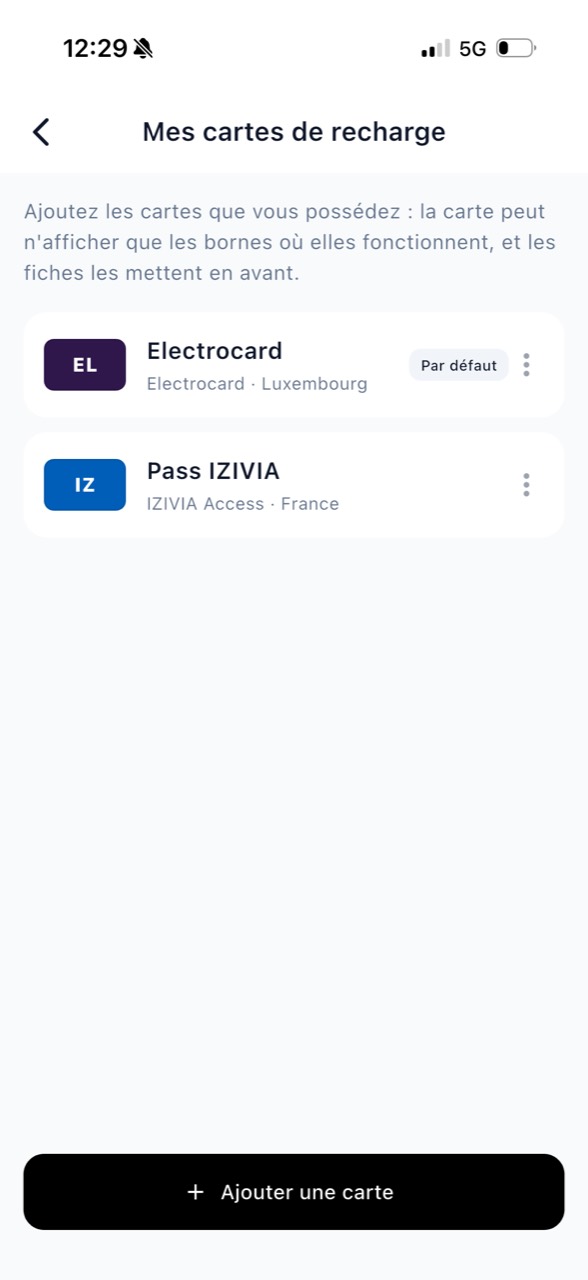
Do you have a favorite badge or charging card? Add it to your Bornage profile. The map can then highlight stations where this payment method is accepted, which helps identify convenient options for you.
You can save several cards, choose one as default and specify the offer information when necessary. This saves your charging methods in the app, not entering your bank card or badge number.
Transform the map into tailor-made search
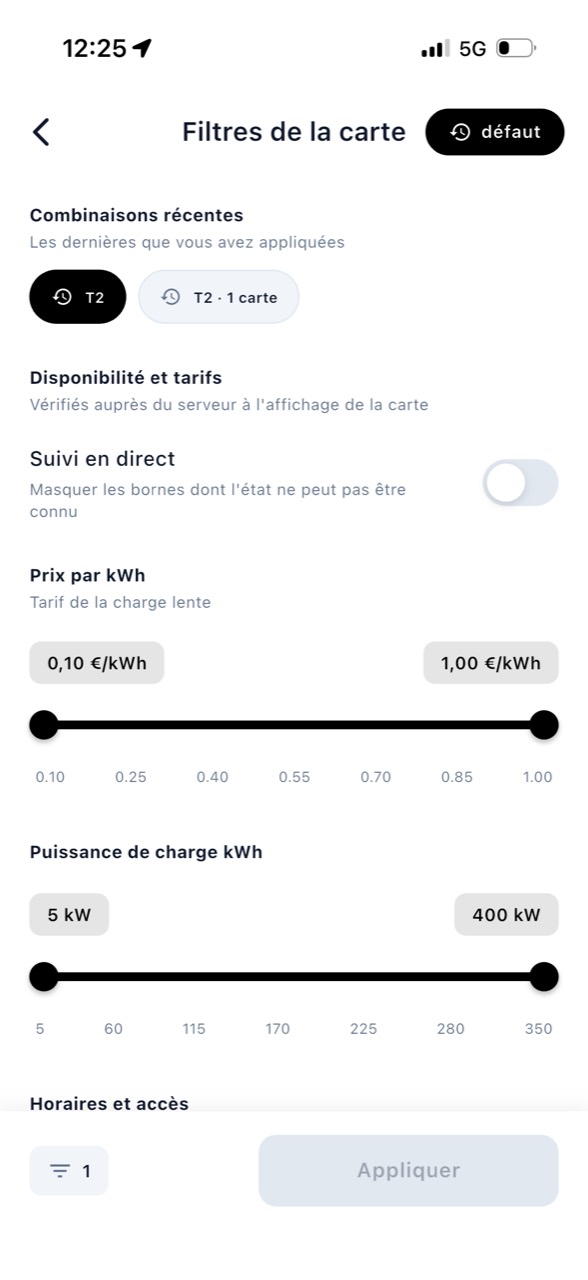
The map often shows more charging stations than you need. Filters allow you to narrow the search according to concrete criteria: operator, public or private access, 24-hour opening, minimum power, price, free or known availability.
You can also filter by your car's connectors and the charging cards added to your profile. The settings are visible on the map with the number of active filters. And if no results match, Bornage can help you identify which criteria to remove to broaden the selection.
Your five most recent filter combinations are saved, so you can quickly repeat a usual search. You stay in control of your criteria, without having to reconfigure them all each time.
Navigation designed for electric car journeys
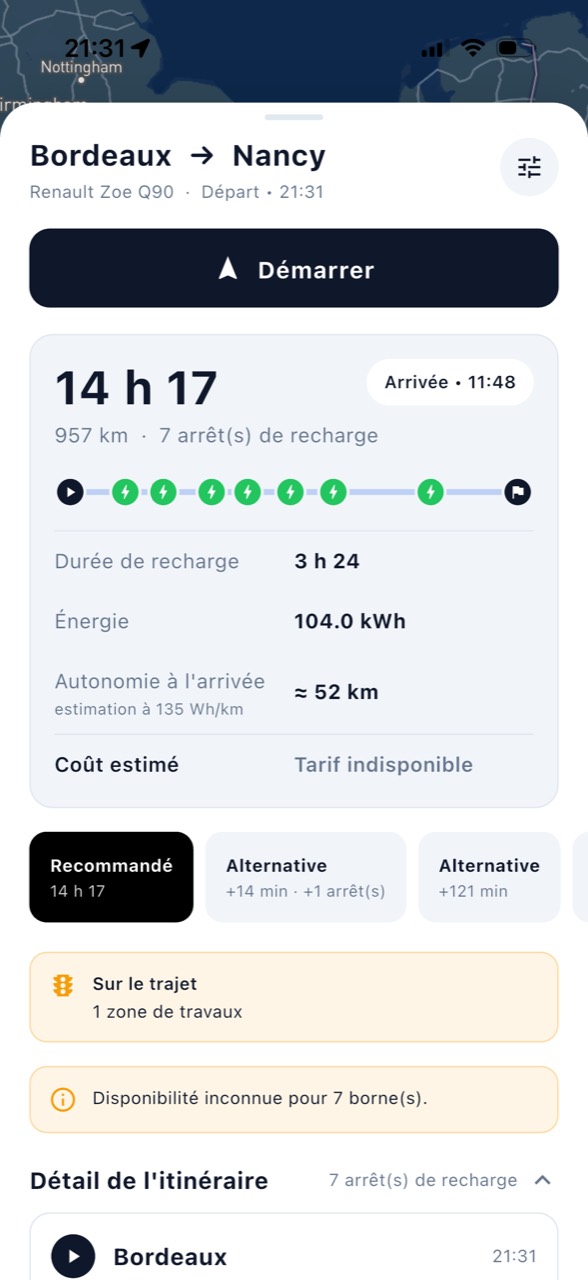
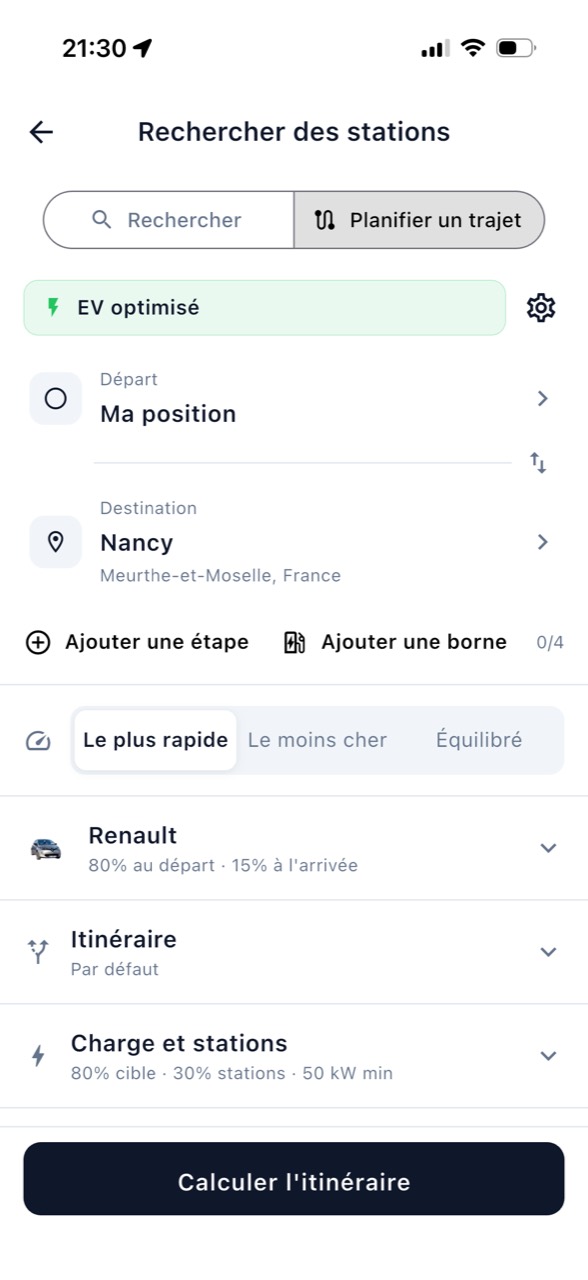
Finding a charging station is only the first step: Bornage also plans A-to-B routes with the charging stops you need. Add a stop on the route or choose a charging station that you want to include in the route. You can then compare several proposals based on travel time, cost or a balance between the two, then start browsing.
The calculation takes into account your car and the battery parameters you enter, such as the level at departure and the desired reserve upon arrival. You can also specify the criteria for charging stations included along the route. The journey overview brings together the distance, estimated duration, stops, energy to add and expected range upon arrival. The detail of each step and the alternative routes help you understand the plan before you leave.
Choose your Ideal Charging Station according to your priority
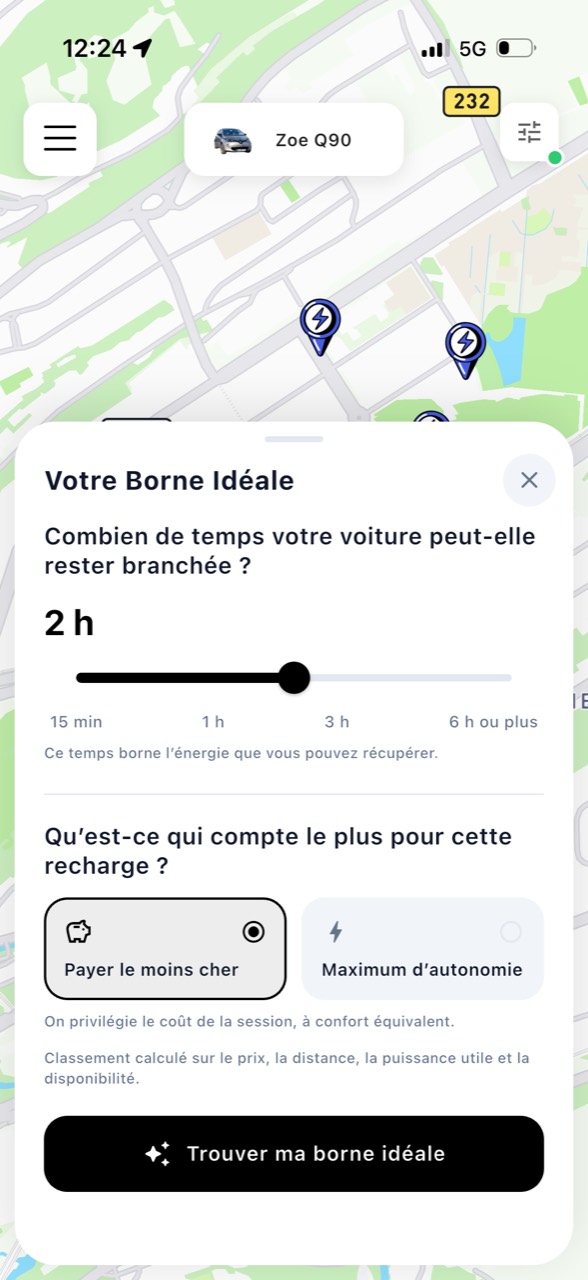
Sometimes you already know your area and just want to know where to stop. The Ideal Charging Station feature starts from two easy questions: how long can your car stay plugged in, and what matters most for this recharge?
Choose To spend as little as possible or get the maximum driving range. Bornage compares the charging stations offered according to distance, available charging power, known availability and price when provided. The comparison can show the estimated session cost, range gained and battery level on arrival.
The recommendation gives you a clear basis for a decision, with the factors that set it apart from the alternatives. Prices and availability may vary depending on the network and time: check the information with the operator before starting the recharge.
An experience that takes into account the way you travel
Add a car, save your charging cards, filter the charging stations, then prepare a route: each step brings a little context to the next. You can search nearby for an immediate recharge or prepare for a long trip with your settings in mind.
The goal is not to increase the number of options, but to make useful information easier to find. You keep control of your criteria and can adjust your search according to the trip, recharge or the time you have.
Frequently asked questions
Do I need to add a car to use Bornage?
You can view the map without completing your profile. Adding your car makes it easier to filter the charging stations according to its connectors and to enter the parameters useful for planning.
What is the purpose of adding a charging card?
This lets Bornage highlight stations that accept your card and show available pricing for that charging method.
Does the Ideal Charging Station guarantee the price or availability?
No. It compares the information available at the time of the search. Prices and actual availability may change; always check with the operator.
When will the new version be available?
The availability is scheduled for October 23, 2026. Actual availability may depend on the deployment of the update on your application store.
Bornage brings together your car, charging cards and criteria with route planning for electric vehicles, charging stops and navigation to your destination.
The new version is scheduled for October 23, 2026. Follow Bornage to find information on its availability.